You can be your own teacher.
Connect your own ChatGPT or Claude to QuizOffice and ask it for a worksheet on whatever you have to learn: your notes, a chapter of the textbook, or new tasks modelled on past exam papers. Then sit the test, and find out what you actually know. For students all of this is free.
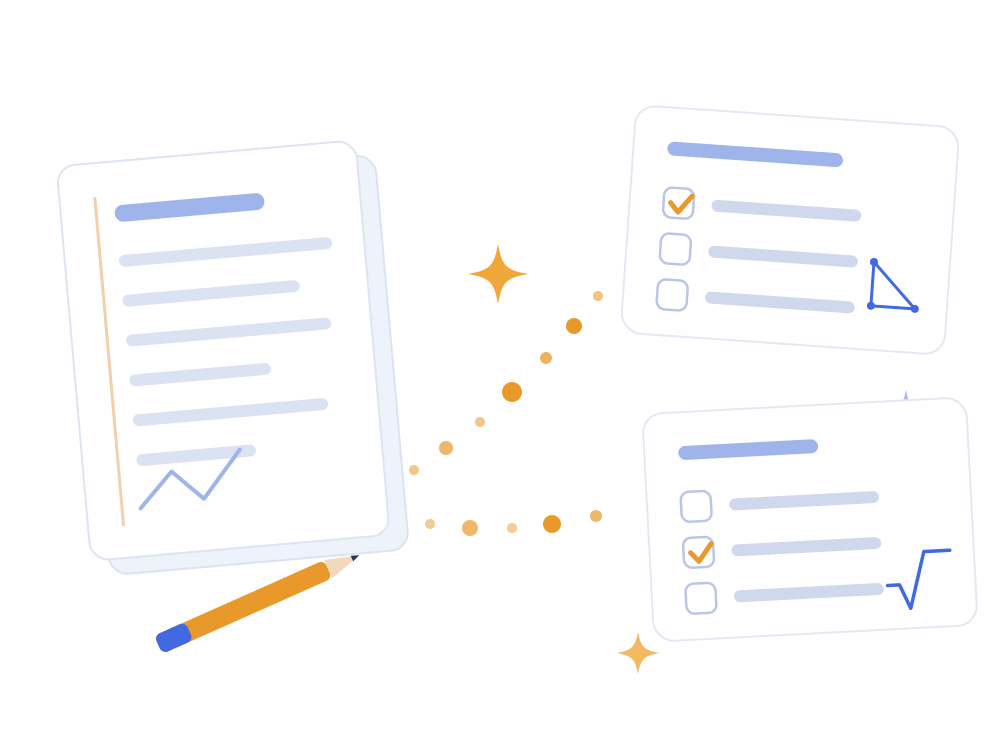
The chat forgets. The worksheet stays.
You can ask an AI to worksheet you. Only the conversation is gone tomorrow — and while it lasts, the answer sits right there in front of you.
Worksheet me on cell division.
Sure. First question: what are the four phases of mitosis?
Well… prophase, for sure.
Almost! Prophase, metaphase, anaphase, telophase. Ready for the next one?
Tomorrow this conversation is gone. You cannot look up what you got wrong, and you cannot sit the same test again.
What the worksheet adds
- It stays. Two weeks later you sit it again and see how far you have come.
- It scores. You are not the one deciding that you "more or less knew that one".
- It measures. Which question you missed, and how long it took you.
- It can be handed over. Everyone in your class can sit the same one.
- You can share it with your teacher too, if it comes to that.
What you can use it for
From your own notes
Hand over your notes or a chapter of the textbook and let the questions come from there. That way you practise exactly what you will be asked.

Modelled on past papers
Ask for new tasks based on the published papers of earlier years. Same type, different numbers — so you learn the task, not the answer key.
With your own AI
The assistant you already use. QuizOffice charges nothing extra for it, and you do not need a second subscription.
Free
Creating and sitting a worksheet costs a student nothing. No card details needed.
Class: write the tasks for each other
This is the most useful way to do it — and the most effective way to learn.
Why it works
- Writing a question is harder than answering one. Whoever makes the worksheet works through the material most deeply.
- You sit someone else's worksheet with a clear head — you do not remember the answers from your own conversation.
- It shows who misunderstood what. Whatever one of you does not get, the others can usually explain.
- The whole syllabus is covered in a quarter of the time it would take you alone.
How to get going
- Everyone signs up and switches the teacher role on for themselves.
- One of you creates a class and invites the others by email with the Send invitation button.
- Split up the topics — everyone makes one worksheet from their own.
- Hand them out to each other with the Add a worksheet to the class button.
- Talk through what went wrong. That part is worth the most.
How do you start?
There is no separate student edition and teacher edition. One account can hold several roles at once — you switch them on in your profile, and move between them with the Role selector at the top.
Six steps
- Sign up to QuizOffice.
- Open User profile → Personal details settings, and under "I use the Worksheet page as" tick the Teacher role as well. Student stays switched on.
- Use the Role selector at the top to switch to teacher — that is the role that can create worksheets.
- Connect your own AI assistant. The steps are on the AI worksheets page, it takes a couple of minutes.
- Ask it for your first worksheet, review it, and publish it.
- Switch back to student and sit it — preferably not straight away, but the next day.
Two things worth knowing
AI can get things wrong.
That is why it is worth working from your own material — and asking it to note which page the answer comes from. Then you can check it, and the checking is learning too.
Do not sit it the same minute.
If you answer in the conversation where it was written, you will be remembering the answers, not the material. Leave it a day — or swap worksheets with your class.
Frequently asked questions
Does it cost anything?
No. For a student, creating and sitting worksheets is free. For the AI you use your own subscription — a free plan works too, just more slowly.
Do I need a teacher for this?
No. Anyone can switch the teacher role on in their own profile, next to the student one. It does not make you anyone's teacher — you make worksheets for yourself and for whoever you invite.
Can anyone see what I make?
Until you share it, your worksheet is yours. You decide whether your class gets it.
How do I know the answer is right?
Because the question comes from your own material, with the source next to it. Do not take anything you cannot look up at face value — a useful rule offline as well.
Which AI should I use?
Whichever you have. Today ChatGPT and Claude both support the connection, and in ChatGPT QuizOffice is already listed among the connectors.
I am stuck.
Write to us on the contact page, or have a look at the questions and answers.
For parents
If your child is still small, they will not be writing worksheets. The practice is still theirs — just in a more playful form.
Before school starts
Going from the nursery yard to a school desk is a huge change for a child. A few playful worksheets — matching pairs, numbers, shapes — help a lot so that in year one the situation is no longer unfamiliar.
They get used to tasks, the transition is easier, and the computer turns into a tool for learning along the way.
You see how they progress
Sign up, invite your child, and follow the statistics of what they complete. They can see those too — often that is the best motivation.
Try it for free
You can try the worksheets below without signing up.

Your first worksheet can be ready today
Sign up, connect your assistant, and start with the material for your next test.