

TEACHERS
Pass on the knowledge!
Would you like to spice up your school presentation? Create an unlimited number of worksheets after registration!
See more »
Create and share private or public worksheets!
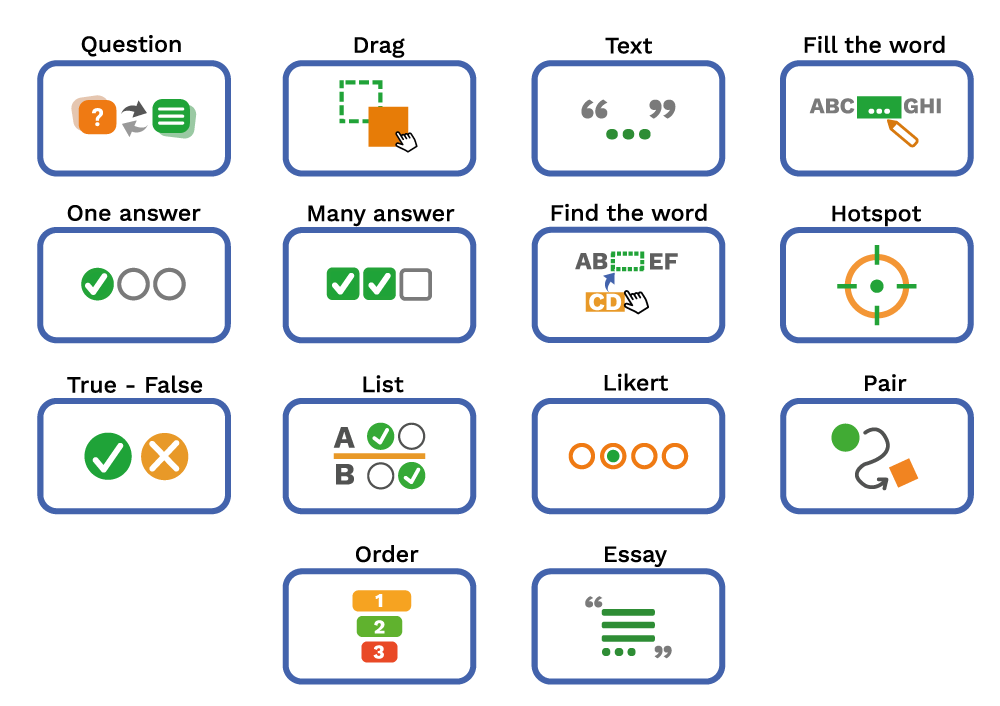
Quiz Office is a multi-functional digital worksheet creation application, in which you can issue your completed worksheets to your existing students! Its purpose is to provide participants with a tool for writing, sharing, and correcting assignments.
Various worksheets, useful functions, modern help
Pass on the knowledge!
Would you like to spice up your school presentation? Create an unlimited number of worksheets after registration!
See more »
Study smart!
Want better grades? The content is constantly expanding, practice and you can follow your progress!
See more »
Modern education
Register your school, thereby making the work of your teachers and the education of your students easier!
See more »
Digital trainings
Assess your employees with demanding worksheets and speed up your company's development!
See more »
Randomly shuffle the order of questions and answers during fills.

You can specify the time you can complete the tasks.

You can specify the maximum number of errors for a worksheet, in which case the task sheet is considered unsuccessful.

You can specify the maximum number of times a worksheet can be filled out.

In case of incorrect filling, it is possible to display an explanation when the result is displayed.

It is possible to attach an audio file to both worksheets and questions.

Classes can be created by inviting students, and worksheets can be assigned to these classes.

You can specify how many of the worksheet questions on a worksheet to appear at one time.
You can try the worksheets below without registration!